

 Jul 21, 2026
 8 min read


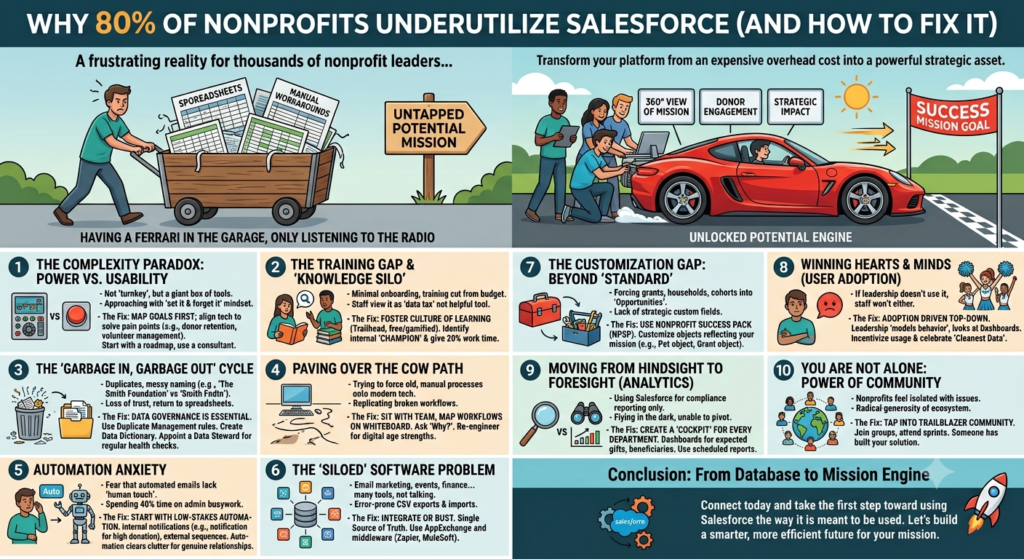
This is a frustration shared by thousands of nonprofits’ leaders. You make the leap to Salesforce because you’re promised a “360-degree view” of your mission, only to find that six months later, your team is still white-knuckling it through messy spreadsheets and “good enough” manual workarounds.
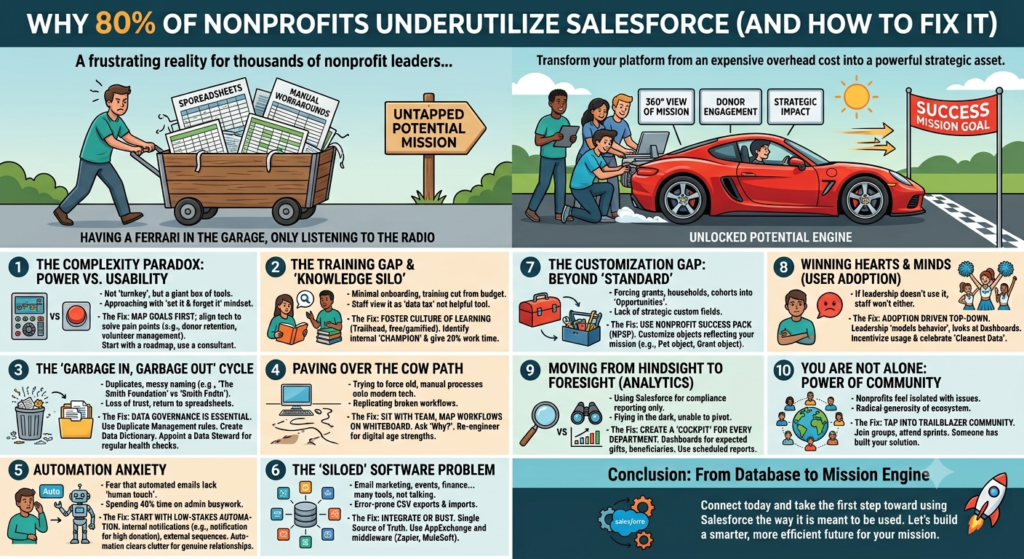
It’s a classic case of having a Ferrari in the garage but only using it to listen to the radio. Salesforce is a high-performance engine, but if your organization doesn’t have the roadmap, the mechanical knowledge, or the right fuel, you’re just going to sit on the starting line while your mission’s potential remains untapped.
Here is a deep dive into why that “80% underutilization” happens and a practical guide on how to actually turn the platform into your organization’s greatest strategic asset.
1. The Complexity Paradox: Power vs. Usability
The very thing that makes Salesforce world-class—its infinite flexibility—is often what kills its adoption in the nonprofit sector. Salesforce was built as an enterprise-level tool meant to be molded. It isn’t a “turnkey” app like a basic email tool; it’s more like a giant box of digital tools.
Many nonprofits approach implementation with a “set it and forget it” mindset. They install the Nonprofit Success Pack (NPSP) or the newer Nonprofit Cloud and expect it to magically know how their specific grant cycle works. When it doesn’t, the platform feels clunky and overwhelming.
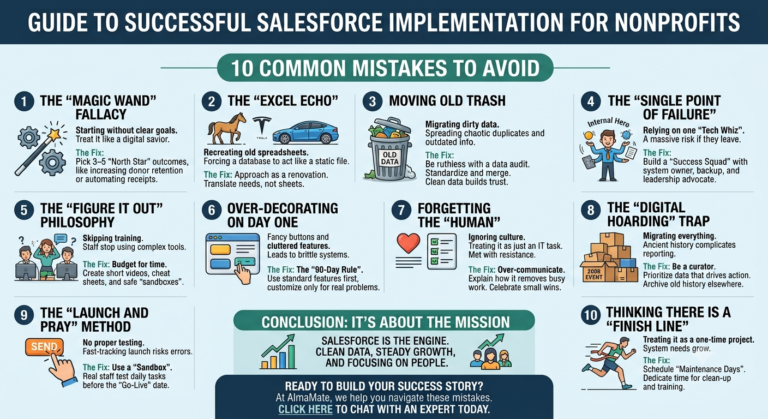
The Fix: You need a roadmap before you start clicking buttons. Don’t try to “do Salesforce.” Instead, pick three specific organizational pain points—perhaps donor retention is dropping, or your volunteer check-in process is a nightmare. Map those goals first, then align the technology to solve them. If your internal team is stretched thin, this is where a consultant with a “nonprofit-first” mentality is worth their weight in gold. They can translate your mission needs into technical architecture.
2. The Training Gap and the “Knowledge Silo”
The Training vertical is usually the first one to get cut or done away with when a nonprofit budget gets tight. Most organizations provide a one-hour walkthrough during onboarding and then never mention training again. Consequently, staff only learn the bare minimum—how to search for a name or log a call—and they never discover the features that actually save time.
When staff don’t understand tools like Flows (automation) or Dashboards, they view the CRM as a “data tax”—extra work they have to do for the bosses, rather than a tool that makes their own lives easier.
The Fix: Foster a culture of continuous learning. Salesforce offers Trailhead, an incredible (and free) gamified learning platform. Use it! But beyond that, identify an “Internal Champion.” This isn’t necessarily your IT person; it’s the staff member who is naturally tech-curious. Give them 20% of their work week to master the platform. When the team sees one of their own peers building a report that saves five hours of work, adoption will skyrocket.
3. The “Garbage In, Garbage Out” Cycle
Data is the lifeblood of Salesforce. If that blood is contaminated with duplicates, outdated addresses, or inconsistent naming conventions (is it “The Smith Foundation” or “Smith Fndtn”?), the entire system fails.
Once a fundraiser pulls a report and realizes half the emails are missing or the “Last Gift Date” is wrong, they lose trust. And once the trust is lost, they go back to their “shadow” spreadsheets. Now you have two versions of the truth, which is a recipe for disaster.
The Fix: Data governance is essential. You need a “Data Dictionary” that defines exactly how data should be entered. Use Salesforce’s built-in Duplicate Management rules to stop the mess before it starts. Most importantly, appoint a “Data Steward”—someone responsible for regular “health checks” on the data. Clean data isn’t a one-time project; it’s a hygiene habit.
4. Paving Over the Cow Path
A common mistake is trying to force Salesforce to mimic a broken, manual process. If your organization’s internal workflows are messy, moving them into Salesforce just gives you “automated messiness.”
Nonprofits often try to replicate the exact steps they took long ago because “that’s how they’ve always done it.” They fail to realize that Salesforce offers a chance to re-engineer those processes for the digital age.
The Fix: Before you configure a single custom field, sit down with your department heads and map your workflows on a whiteboard. Ask, “Why do we do it this way?” If the answer is “because the old software required it,” throw that process out. Redesign your workflows to take advantage of Salesforce’s strengths—like automatic task creation and real-time status updates.
5. Automation Anxiety
Many nonprofit teams are terrified of automation. They worry that an automated thank-you email will feel “cold” or that an automated task will glitch and spam a donor. Because of this fear, they stay stuck in manual mode, spending 40% of their week on administrative busywork that a computer could do in seconds.
The Fix: Start with “Low-Stakes” automation. You don’t have to automate your entire major gift strategy on day one. Start by automating an internal notification: “Send a Slack message to the ED when a donation of more than INR 1,00,000 is logged.” Then move to external automations, like a series of three “Welcome” emails for new recurring donors. Automation doesn’t replace the “human touch”; it clears the administrative clutter so you have more time for actual human relationships.
6. The “Siloed” Software Problem
The average nonprofit uses a dozen different tools: one for email marketing, one for event ticketing, another for peer-to-peer fundraising, and maybe QuickBooks for accounting. If Salesforce is just sitting in the middle but not talking to any of them, you’ve created a “data island.”
Staff end up spending half their day exporting CSV files from one tool and importing them into another. This is where errors happen and where strategic visibility is reduced significantly.
The Fix: Integrate or bust. Salesforce has a massive AppExchange (the “App Store” for CRM). Look for “Native” integrations first—tools designed to live inside Salesforce. For everything else, use middleware like Zapier or MuleSoft. Your goal should be a “Single Source of Truth.” If a donor changes their email on your website, it should update in Salesforce and your email tool automatically.
7. The Customization Gap: Beyond “Standard”
Salesforce comes with standard “Accounts” and “Contacts.” But nonprofits deal with grants, households, program cohorts, and volunteer shifts. If you try to jam a “Grant Application” into a standard “Opportunity” field without any customization, it will not work properly.
The Fix: Don’t be afraid to customize, but do it strategically. Use the Nonprofit Success Pack (NPSP) as your foundation—it’s already built with “Household” models and “Donation” record types. From there, create custom objects that reflect your mission. If you run an animal shelter, you should have a “Pet” object. If you run a mentorship program, you should have a “Match” object. When the system uses your language, your team will actually want to use it.
8. Winning the Hearts and Minds (User Adoption)
At the end of the day, Salesforce isn’t a technical project; it’s a change management project. If leadership doesn’t use the system, the staff won’t either.
The Fix: Adoption must be driven from the top down. If your Executive Director is still asking for a printed spreadsheet for the board meeting instead of looking at a Salesforce Dashboard, they are signaling that the CRM doesn’t matter. Leadership should “model the behavior.” Additionally, incentivize usage. Celebrate the “Cleanest Data Award” or the “Most Active User.” Make the CRM the center of your staff meetings so it becomes the air the organization breathes.
9. Moving from Hindsight to Foresight (Analytics)
Most nonprofits use Salesforce for “hindsight”—looking back at what happened last month. While that’s necessary for compliance, the real power lies in “foresight”—using data to predict what will happen next.
If you aren’t using Reports and Dashboards, you’re flying your mission in the dark. You can’t see which donor segments are growing or which programs are underperforming until it’s too late to pivot.
The Fix: Create a “Cockpit” for every department. The Fundraising VP should have a dashboard showing the “Pipeline” of expected gifts. The Program Manager should see a real-time count of beneficiaries served this month. Use Scheduled Reports to land these insights in their inboxes every Monday morning. When data drives strategy, the organization becomes proactive rather than reactive.
10. You Are Not Alone: The Power of Community
Nonprofits often feel like they are struggling in a vacuum. They don’t realize that there are tens of thousands of other organizations facing the exact same “duplicate record” or “grant tracking” issues.
The Fix: Tap into the Trailblazer Community. There are specific groups for “Salesforce Military,” “Nonprofit User Groups,” and “Sector-specific” forums. Attend a “Community Sprint” where users get together to build solutions for the common good. The Salesforce ecosystem is unique because of its radical generosity; someone out there has already built the solution you’re looking for. All you have to do is ask.
Conclusion: From Database to Mission Engine
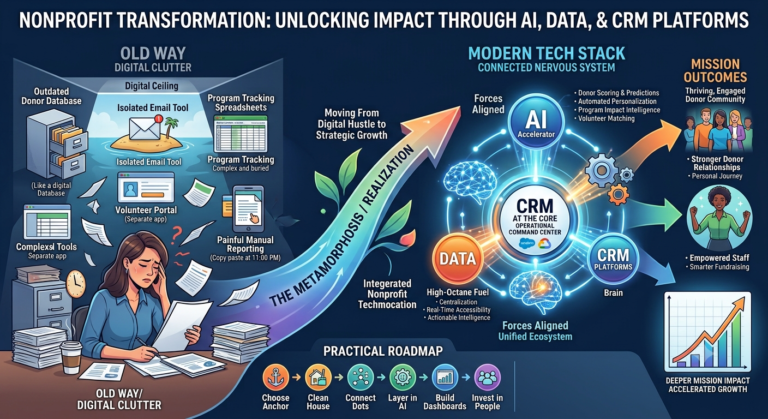
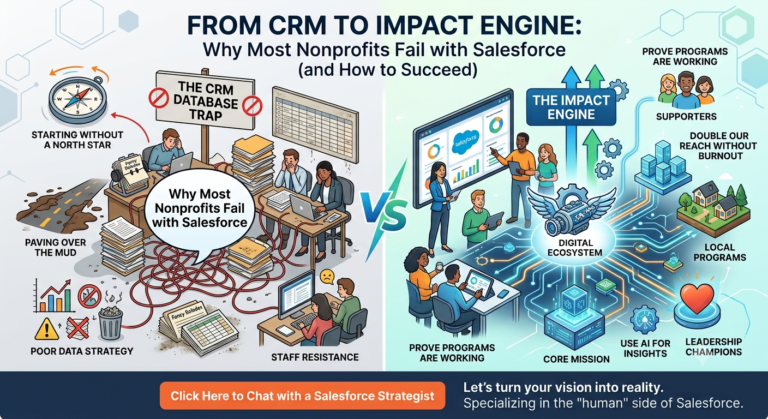
The 80% underutilization rate isn’t a failure of the software; it’s a failure of implementation and imagination. Salesforce is far more than a digital Rolodex or a place to store credit card receipts. When it is fully embraced, it becomes the central nervous system of your nonprofit.
It allows you to move faster, personalize your donor outreach at scale, and—most importantly—prove your impact with hard data. The transition from a “system of record” to a “system of strategic action” doesn’t happen by accident. It requires intentionality, a commitment to training, and a willingness to let go of “the way we’ve always done it.”
Your mission is too important to be held back by inefficient technology. By addressing these ten areas, you can turn Salesforce from an expensive overhead cost into the engine that accelerates your impact for years to come. Stop just “having” Salesforce. Start using it.
If your organization is still scratching the surface with Salesforce, you’re not alone—but you don’t have to figure it out the hard way. At AlmaMate, we specialize in helping nonprofits move beyond basic CRM usage to fully optimized, impact-driven systems. From implementation and customization to training, automation, and data strategy, we work alongside your team to unlock the true potential of Salesforce.
Whether you’re struggling with adoption, messy data, or disconnected tools, our experts bring a nonprofit-first approach to transform your CRM into a powerful engine for fundraising, engagement, and measurable impact.
Let’s build a smarter, more efficient future for your mission. Connect with AlmaMate today and take the first step toward using Salesforce the way it is meant to be used.