

 Jul 20, 2026
 8 min read


Implementing Salesforce is one of the most valuable upgrades a nonprofit can make. This isn’t just about a software launch; it’s about a cultural evolution. Implementing Salesforce is one of the most significant “level-up” moments a nonprofit can experience. It promises a world where donors are actually remembered, programs are visible in real-time, and workflows don’t feel like wading through molasses.
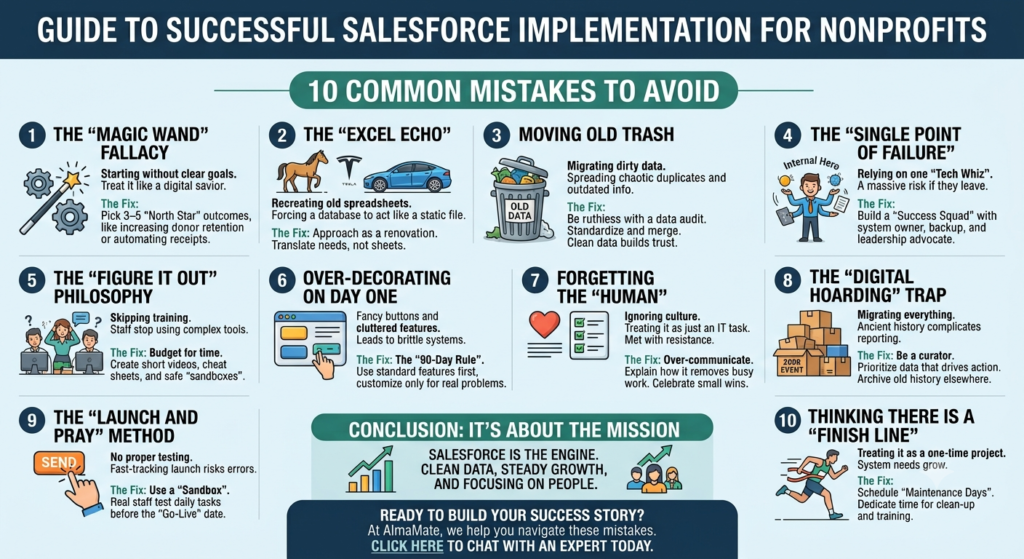
But let’s be honest: Nonprofits often walk into Salesforce with stars in their eyes, hoping it will magically untangle their data and spark a sudden windfall of donations. While Salesforce is capable of all that, the magic isn’t in the code—it’s in the implementation. Most organizations don’t struggle because the platform is “too hard”; they struggle because they start the journey without a map, a compass, or enough snacks for the road.
After sitting down with dozens of teams and hearing the “war stories” of failed launches, a pattern emerges. The same stumbling blocks trip up the most well-intentioned leaders. By spotting these 10 common mistakes early, you can save your team months of “tech-headaches,” avoid burning your budget on re-work, and actually build the system you dreamed of:
1. The “Magic Wand” Fallacy/Misconception (Starting Without a Goal)
One of the most frequent traps is treating Salesforce like a digital savior that will spontaneously fix a broken process. Salesforce is a powerhouse, but it isn’t sentient. If you don’t tell it exactly what “success” looks like, it will just become a very expensive, very organized digital closet where you hide your problems.
Many teams say they want “better management” or “less manual work.” Those are great feelings, but they aren’t goals.
- The Fix: Before you click a single button, pick 3–5 “North Star” outcomes. Instead of “better management,” try “Increase our donor retention by 20%” or “Automate our tax receipts so the team saves 10 hours a month.” When you have a target, the technology knows where to aim.
2. The “Excel Echo” (Recreating Old Spreadsheets)
It’s human nature to crave the familiar. We often hear, “Our old spreadsheet had this specific red column, so we need Salesforce to look exactly like that.” But Salesforce isn’t a flat file; it’s a living, breathing relational database. Trying to force it to act like a static spreadsheet is like buying a Tesla and trying to hitch it to a horse. You’ll end up with a cluttered mess that ignores the very features (like automated reporting and donor journeys) that you bought the system for in the first place.
- The Fix: Approach this as a “renovation,” not a “move.” This is your golden opportunity to throw away outdated habits. Don’t translate your spreadsheets; translate your needs.
3. Moving Into a New House With Old Trash (Dirty Data)
If your current donor list is a chaotic mix of duplicates, “Current Resident” labels, and emails from a past year, migrating it directly into Salesforce is a disaster waiting to happen. You’re simply paying more money to host the same mess. Once bad data is “baked into” a sophisticated system, it becomes ten times harder to scrub out.
- The Fix: Be ruthless with your data audit before the transition. Standardize your addresses, merge the duplicates, and ask: “Does this record still serve our mission?” Many teams find that nearly a third of their data is “noise.” Clean data leads to securing the staff’s trust, and trust leads to adoption.
4. The “Single Point of Failure” (The Internal Hero)
Every nonprofit has one: the “Tech Whiz” who stayed up all night learning how to build a custom report. While these “Internal Heroes” are amazing, relying on one person to hold the keys to your entire database is a massive risk. If that person leaves, gets promoted, or takes a vacation, the system grinds to a halt.
- The Fix: Build a “Success Squad.” You need a system owner, but you also need a backup and a leadership advocate who understands the “why” behind the tech. No mission-critical system should ever depend on a single human being’s password.
5. The “Figure It Out” Philosophy (Skipping Training)
Salesforce is powerful, but it isn’t always “pick-up-and-play.” Staff members don’t instinctively know how to log a “Cultivation Touchpoint” or run a “Year-over-Year” report. When people feel overwhelmed by a tool, they stop using it. And a CRM that nobody touches is just a very expensive asset.
- The Fix: Budget for human time. Don’t just do one long PowerPoint session; record 2-minute “How-To” videos. Create a “Cheat Sheet” for the office wall. Let people “break things” in a safe environment, such as a sandbox. Confidence is the only thing that drives adoption.
6. Over-Decorating on Day One (Early Customization)
It’s tempting to look at Salesforce’s infinite settings and want to build a custom button for every possible scenario. But customizing a system before you’ve lived in it is like picking out wallpaper for a house you haven’t moved into yet. You’ll likely end up with a cluttered, “brittle” system that breaks every time Salesforce releases an update.
- The Fix: The “90-Day Rule.” Use the standard, out-of-the-box features for three months. See where the actual pain points are. Only build custom solutions for problems that truly exist, not for “what-ifs.”
7. Forgetting the “Human” in Human Resources (Ignoring Culture)
Salesforce implementation is 20% software and 80% change management. It’s a shift in how people do their jobs, how they collaborate, and how they define “work.” If you treat this like a “tech task” handed down from the IT department, you’ll be met with resistance and “shadow spreadsheets” kept on personal hard drives.
- The Fix: Over-communicate. Explain how this tool is going to take the “busy work” off their desks. Celebrate the small wins, like the first time a report is generated in ten seconds instead of ten hours. People support what they help create.
8. The “Digital Hoarding” Trap (Migrating Everything)
Does your team really need the attendance list from a 2008 event? Probably not. Insisting on migrating twenty years of “maybe-useful” history complicates your reporting, slows down your system, and confuses your staff.
- The Fix: Be a curator, not a hoarder. Prioritize the data that drives action today: active donors, recent volunteers, and current grants. Archive the ancient history in a separate file. A lean, fast system is a joy to use; a bloated one is a chore.
9. The “Launch and Pray” Method (No Testing)
Salesforce is an interconnected web; changing a field in “Donations” might accidentally break an “Email Automation” somewhere else. Skipping the testing phase because you’re in a rush to launch is the fastest way to send a “Test Email” to your entire board of directors by mistake.
- The Fix: Use a “Sandbox.” This is your safe space to play. Have real staff members try to perform their daily tasks—entering a check, updating an address—before the “Go-Live” date. Catching a bug in private is a minor tweak; catching it in public is a PR crisis.
10. Thinking There Is a “Finish Line” (Treating It as a Project)
One of the biggest myths is: “Once it’s set up, we’re done.” As your mission grows and your fundraising strategies evolve, your system needs to grow with you. Nonprofits that “finish” their Salesforce project often find that within a year, the data is stale and the workflows are outdated.
- The Fix: Schedule “Maintenance Days.” Dedicate a few hours each month to clean-up, training refreshes, and minor updates. Think of Salesforce as a living part of your team—one that needs a little care to keep performing at its peak.
Conclusion: It’s About the Mission, Not the Software
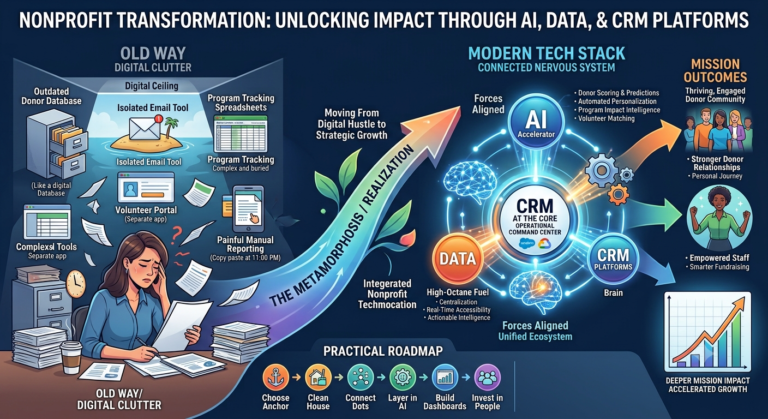
At the end of the day, Salesforce isn’t the goal—your mission is. The platform is simply the engine that helps you get there faster. When you approach implementation with a focus on people, clean data, and steady growth, Salesforce stops being “that new software” and becomes the central nervous system of your organization.
It becomes the place where you measure your impact, honor your donors, and plan a future that is bigger than your spreadsheets ever allowed.
Ready to build a system that actually works for your team?
At AlmaMate, we’ve seen these 10 mistakes happen in real-time, and we know exactly how to help you navigate around them. We don’t just “install” Salesforce; we partner with you to ensure your team is trained, your data is pristine, and your mission is front and center. Let’s make sure your Salesforce journey is a success story. Click here to chat with an expert today.